Answers from your PDF, or an honest "not in here".
Upload a PDF and ask it questions. Every claim in the answer cites a passage; click it and the page opens with that passage highlighted. And when the document doesn't cover the question, DocuChat says so instead of making something up.
Demo password: demo1234. The demo runs on free hosting, so the first visit can take a minute to wake up.
It knows when it doesn't know.
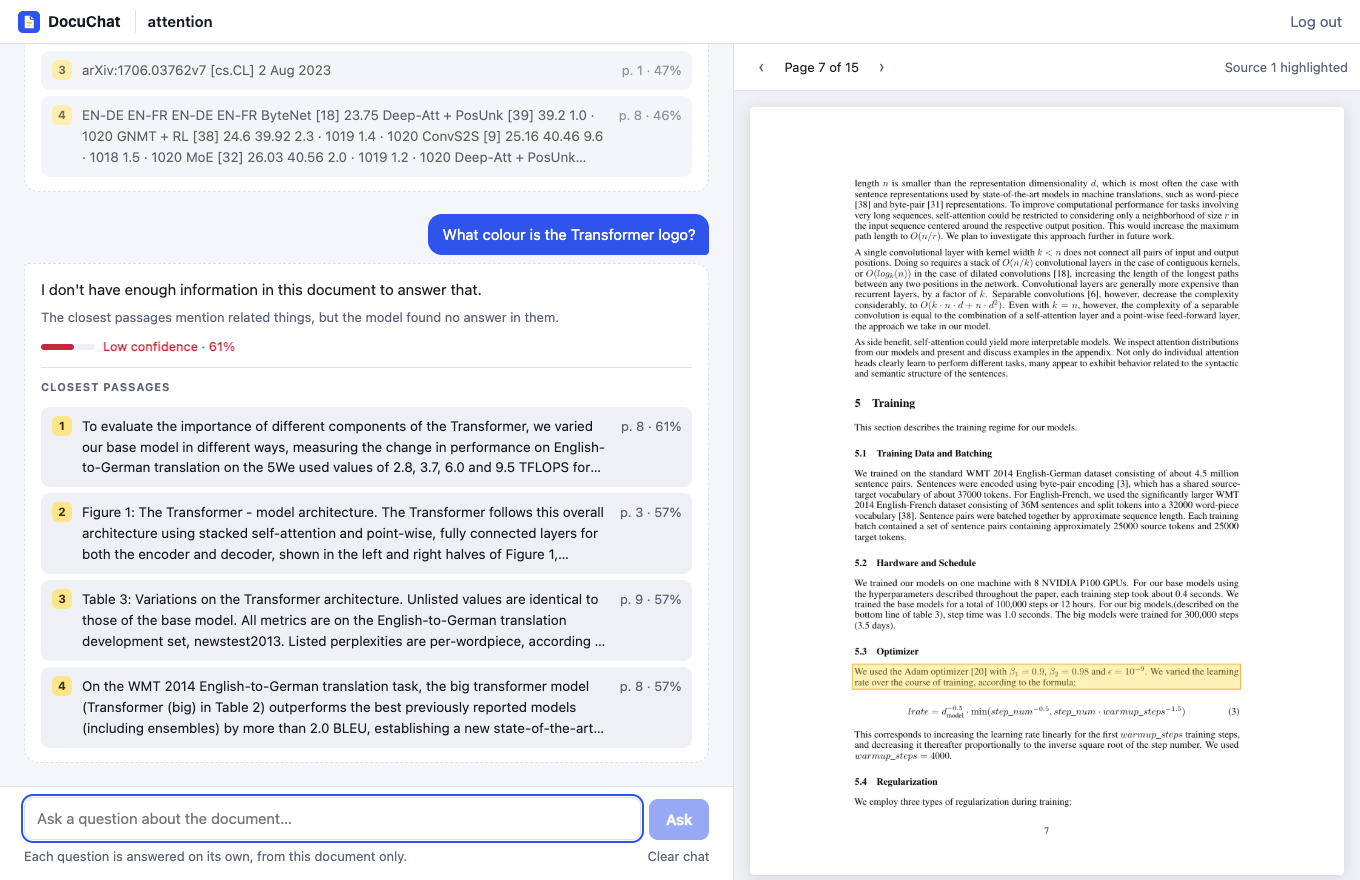
Most RAG demos always answer. DocuChat measures how close the best passage is to the question first, and tells you which kind of "no" it is.
Retrieval confidence
If even the closest passage isn't similar enough, it answers "I don't have enough information in this document" and never calls the model.
A second guard
When passages are related but don't contain the answer, the model is told to decline too, and the UI says which of the two happened.
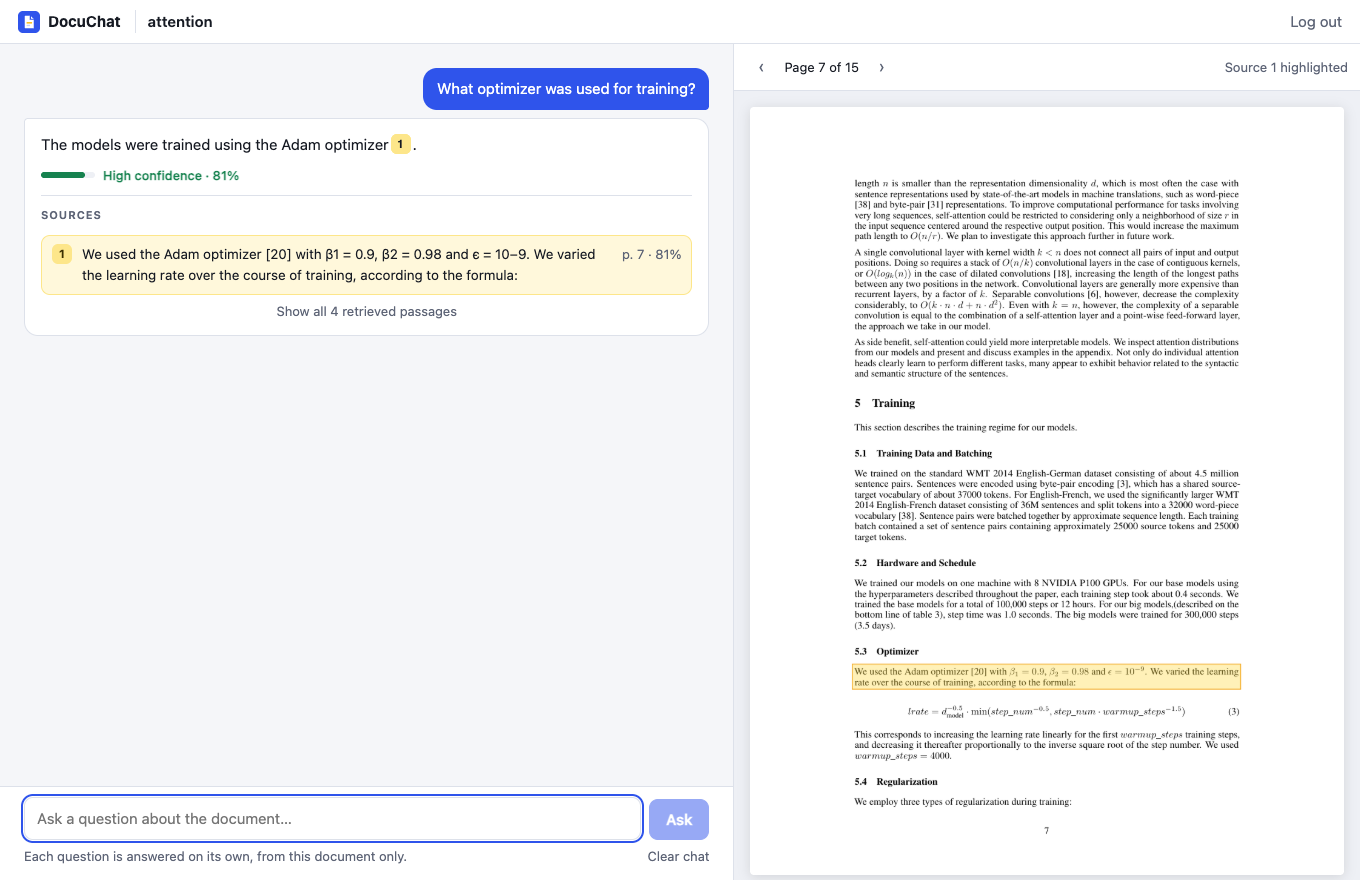
Highlighted on the page
Passages are whole PDF blocks with exact coordinates, so the server renders the page with the source boxed. No PDF viewer to load.
What it looks like
A cited answer with its passage highlighted on page 7, and a question the paper doesn't cover, declined.
Key concepts & stack
Threshold by measurement
With the local embedding model on a 15-page paper, answerable questions scored 0.62–0.82 and unrelated ones 0.44–0.59. The ranges overlap, hence the second guard.
Blocks, not windows
Passages are built from whole PDF blocks on one page and stop at headings, so each has exact coordinates and stays in one section.
Confidence on every answer
High, medium or low, with the best passage's similarity, so you know how much to trust it.
Chat history
Questions and answers are kept per document, across reloads.
Any OpenAI-compatible model
Groq by default, or OpenAI, or a local Ollama, chosen in .env.
Two storage setups
Locally: Chroma on disk and local ONNX embeddings, no key needed. On a small host (like this demo): pgvector in Postgres and an embeddings API.
Run your own
Embeddings run locally, so only the answer model needs a key. Groq has a free tier.
API
- 1Install, then set
APP_PASSWORDandLLM_API_KEYin.env:cd backend && uv sync cp .env.example .env - 2Start it on port 8000:
uv run uvicorn app.main:app --reload
App
- 1Install and start Vite:
cd frontend && npm install npm run dev - 2Open it and upload a PDF:
http://localhost:5173